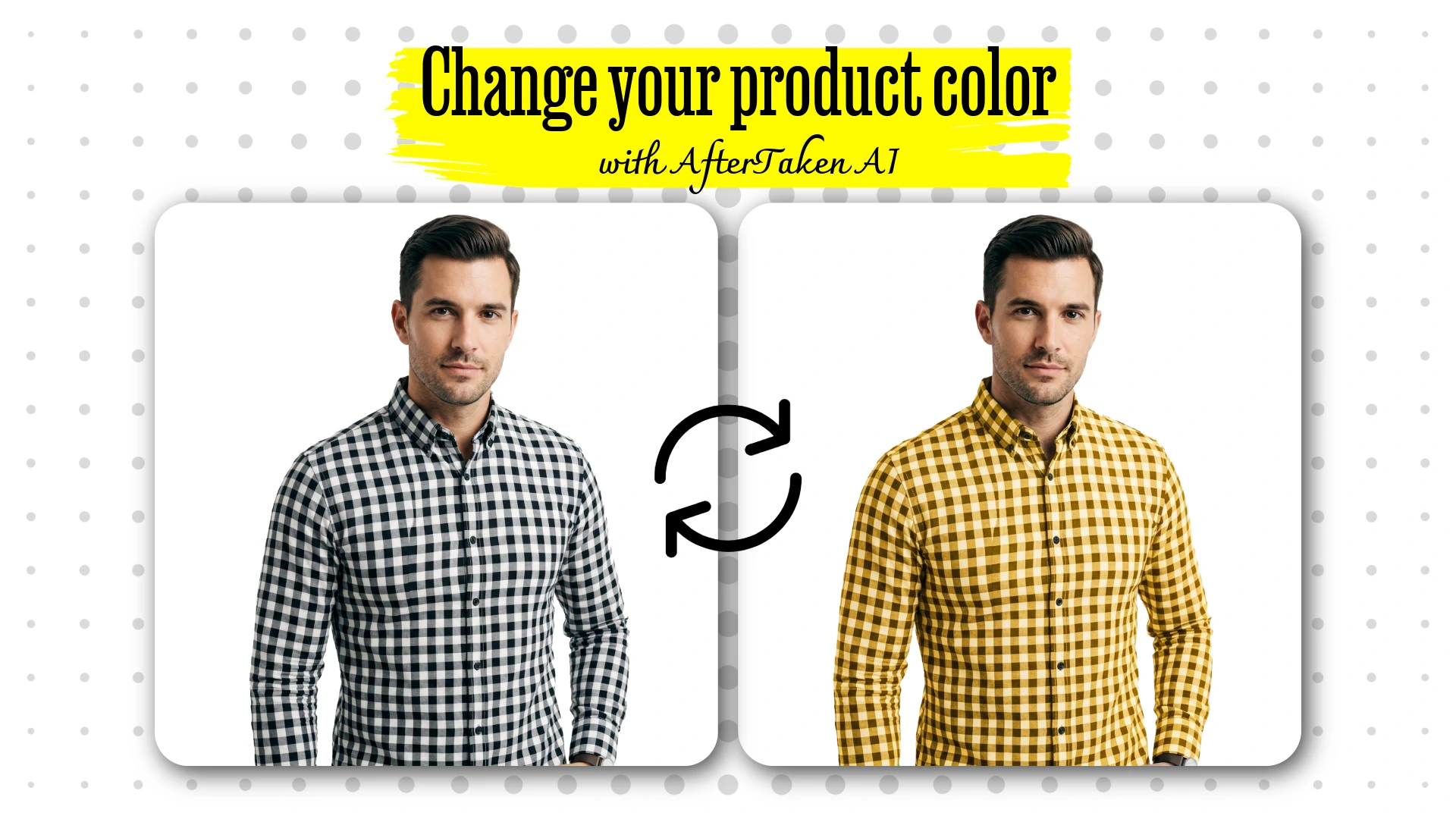

Here is a situation most product sellers know too well — your product comes in 6 colors, but you only have photos for 3 of them. Getting a proper photoshoot done for every color variant costs money, takes time, and honestly, it feels like a never-ending process every time you add a new shade to your catalog.
What if you could just upload one product image and generate all your color variants instantly? By using a product color change ai, you can skip the manual editing and high costs of photography. That is exactly what an AI color variant product images generator does. In this post, we are going to walk you through how it works, who it is for, and why it is one of the most practical AI tools available for product sellers right now.
What is a Product Color Change AI?
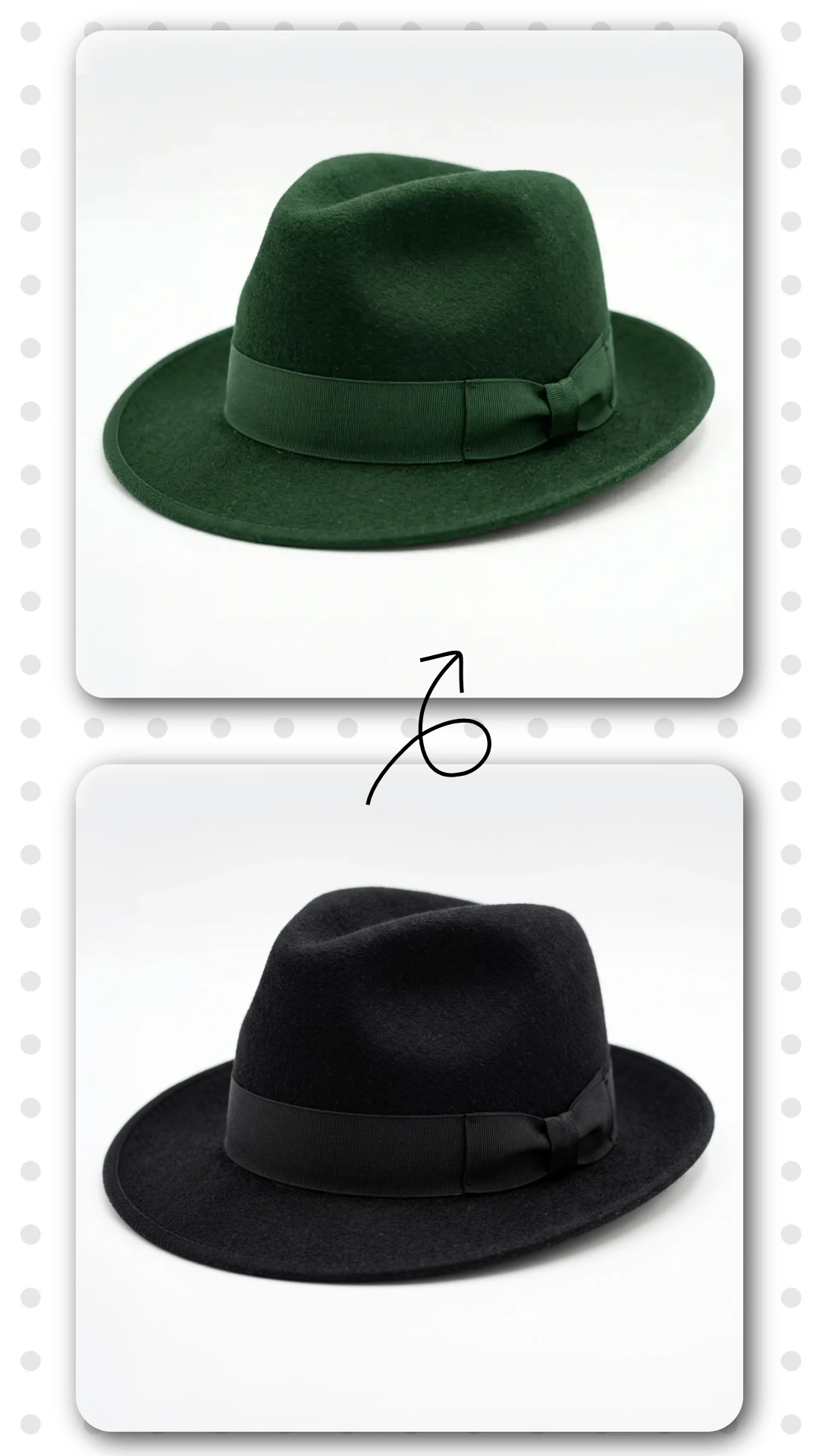
An AI color variant product images generator is a tool that uses artificial intelligence to change the color of any product in a photo — instantly, realistically, and without a Photoshop subscription or design skills.You simply upload your product image, pick from preset colors or describe the color you want in plain language, and the AI handles the rest. It identifies the product, maps its texture and material, and applies the new color while preserving every detail — shadows, highlights, stitching, surface texture — exactly as they would appear in a real product photo.
THINK OF IT THIS WAY
Instead of shooting your handbag in red, blue, green, and black separately, you shoot it once in any color and let the AI generate all the variants. Same quality, a fraction of the time and cost.
How AfterTaken’s Product Color Change AI Tool Works
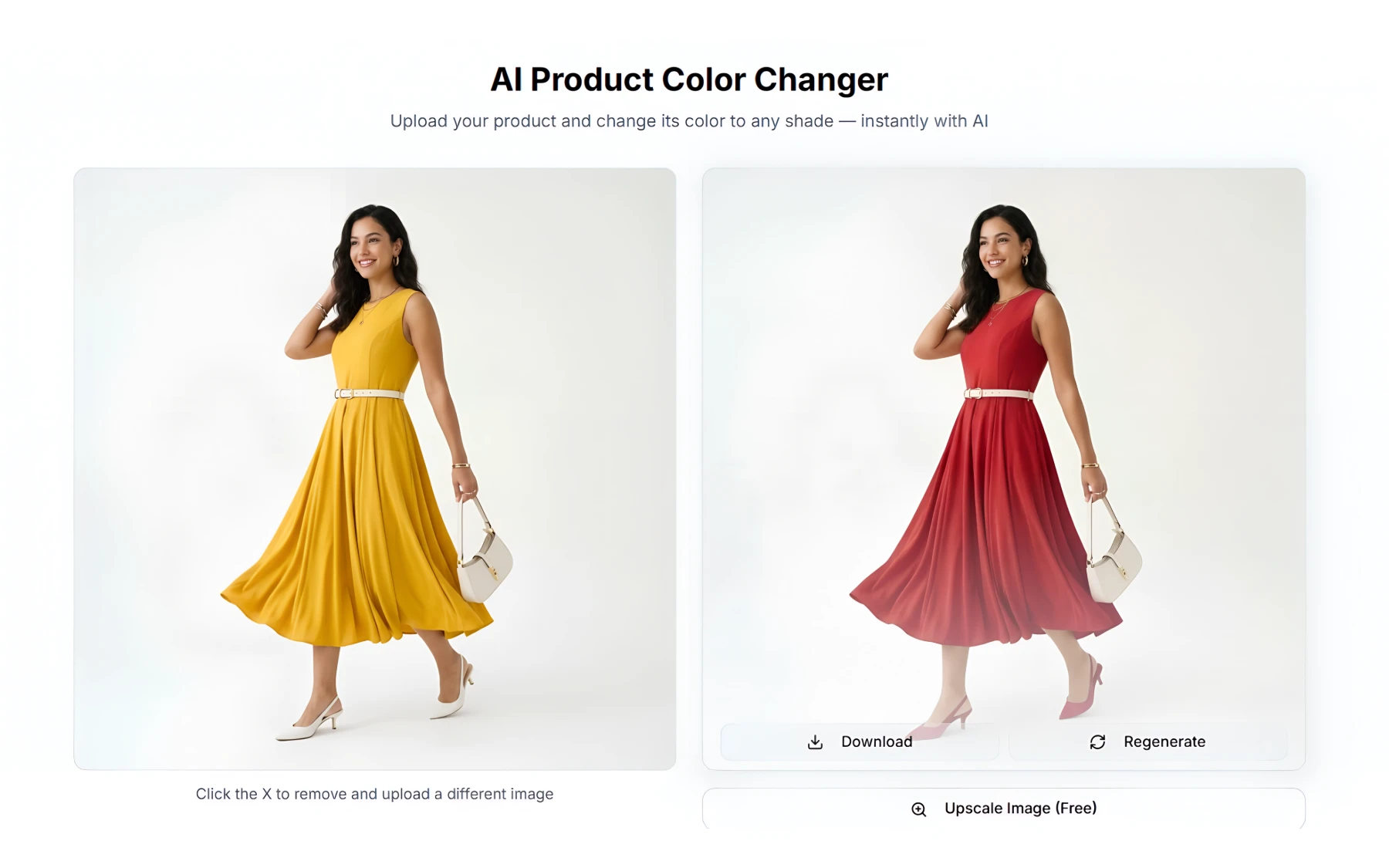
AfterTaken’s AI color variant generator is built to be simple enough for anyone to use — no technical knowledge required. Here is the complete workflow:
- Step 1 — Upload Your Product: Go to AfterTaken.com and open the Color Change tool
- Upload any product photo — a JPEG or PNG or WEBP of your product on any background works perfectly
- Step 2 — Pick or Describe Your Color: Choose from 16 ready-made color presets — covering the most popular product colors across fashion, home decor, and accessories
- Or describe the exact color you want in plain text — something like ‘deep forest green with a matte finish’ or ‘pastel coral pink’ — and the AI will generate it
- Step 3 — Generate and Download: The AI generates your color-changed product image in seconds. Download it at full resolution and it is ready to use on your store, marketplace listing, or social media
Why AI Color Variant Images Look Photorealistic
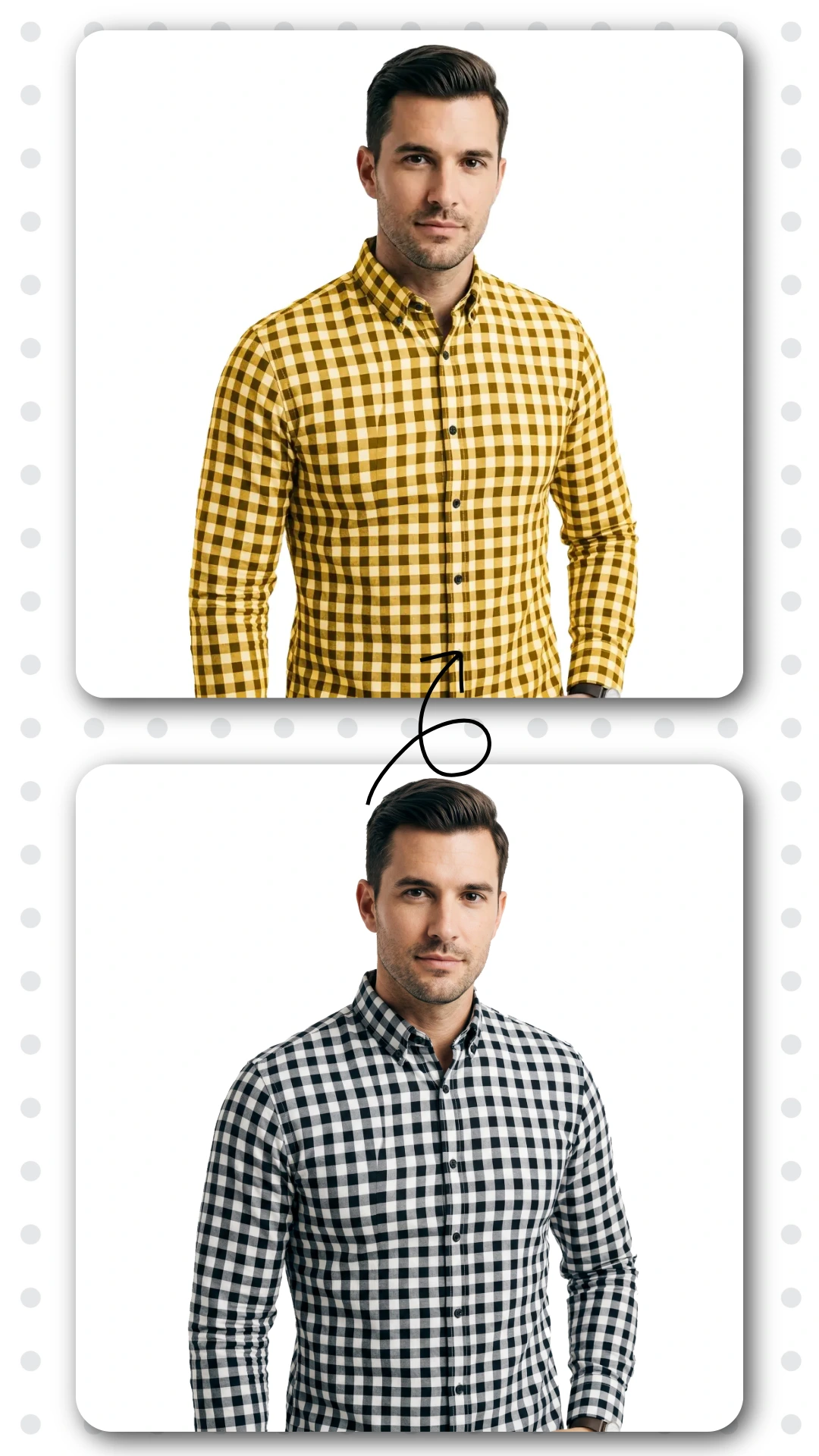
This is the part that surprises most people. AI-generated color variants do not look like simple hue adjustments — they look like actual product photos taken in the new color. Here is why:
Texture-Aware Rendering
The AI understands the material of your product — whether it is fabric, leather, plastic, metal, or ceramic — and applies the color change the way that material would actually absorb and reflect light in the new color. A red silk dress and a red leather bag would look completely different even in the same shade — and the AI accounts for that.
Shadow and Highlight Preservation
Shadows and highlights are what make a product photo look three-dimensional and real. AfterTaken’s color change tool preserves all the original lighting information while applying the new color — so the result looks like it was photographed in that color, not edited.
Material Consistency
When you change a product color, every part of the product that shares that color changes consistently — not just the dominant surface. Seams, folds, edges, and details all update together, maintaining the photorealistic quality throughout the image.
Who Should Be Using an AI Color Variant Generator?
Honestly, any seller or brand that offers products in multiple colors should be using this. But here are the specific use cases where it makes the biggest difference:
Amazon and Flipkart Sellers
Marketplace listings with complete color variant images consistently outperform those with missing variants. Buyers want to see exactly what they are purchasing — and if your red variant listing has no photo, many will simply move on to a competitor. AI color generation solves this instantly.
Fashion and Apparel Brands
Fashion moves fast. New colorways, seasonal shades, limited editions — photographing every single variation is simply not scalable for most brands. AI color variant generation means you can launch a new colorway the same day you decide to add it, without waiting for a photoshoot.
Cosmetics and Beauty
Lipsticks, eyeshadows, nail polishes, foundations — beauty products live and die by their color presentation. An AI color variant generator lets beauty brands showcase every shade with consistent, high-quality imagery across their entire catalog.
Home Decor and Furniture
Sofas, chairs, cushions, rugs — home decor buyers make decisions based heavily on color and how it will look in their space. Offering complete color variant imagery increases buyer confidence and reduces returns significantly.
D2C Shopify Brands
For direct-to-consumer brands building on Shopify, complete and consistent product imagery across all color options directly impacts conversion rates. AI color generation makes it possible to maintain professional visual standards across your entire catalog regardless of how many variants you carry.
Freelance Photographers
AI color variant generation is also a powerful addition to any product photographer’s toolkit. Offer color variant generation as an add-on service — deliver more value to your clients without additional shooting time.
Why Use AI Instead of Photoshop for Color Changes?
This is a fair question — Photoshop has had color replacement tools for years. So why use an AI color variant generator instead?
- Speed:
- Realism:
- Skill requirement:
- Scale:
- Cost:
Practical Tips for Best AI Color Change Results
To get the most photorealistic results from an AI color variant product images generator, keep these tips in mind:
- Use a clean, well-lit product photo as your starting image — the better the input, the better the output
- For complex colors, use the custom description field — describe the exact shade, finish, and texture you want
- For simple shades, the 16 preset colors are the fastest option — one click and done
- Products without text labels work best — toys, furniture, bags, shoes, home decor, apparel — anything where the color change does not need to affect printed text
Generate 2 to 3 variations per color — slight differences in prompt wording can produce different results, giving you options to choose the best one.
Flexible Pricing — Pay Only for What You Use
AfterTaken’s color change tool operates on a flexible pay-as-you-go credit model — meaning you only pay when you generate an image. There is no monthly subscription, no minimum commitment, and no wasted spend on features you do not use.Credits are available in both INR and USD tiers, making the tool accessible for sellers across markets. New users also receive free credits on signup — so you can test the tool and generate your first few color variants at zero cost before deciding whether to top up.
Frequently Asked Questions
What types of products work best with AI color change?
Products printed or without printed text labels work best for both cases — apparel, bags, shoes, home decor, furniture, toys, accessories, and unbranded items.
How do I choose the color I want?
You have two options — choose from 16 preset colors for common shades, or use the custom description field to describe any color in plain language. You can be as specific as you like — ‘dusty rose with a satin finish’ or ‘military olive green, matte’ both work.
Will the color change look edited or will it look natural?
Absolutely, AfterTaken’s AI is specifically designed to produce photorealistic results. The texture, shadows, and highlights of your original product are preserved — so the output looks like an actual product photo taken in the new color, not a digital edit.
How many color variants can I generate from one product photo?
As many as you need — there is no limit per product. Each generation uses one credit, so you can generate the exact number of variants your catalog requires.
What image formats are supported?
JPEG, PNG and WEBP formats are supported for upload. Generated images are delivered at high resolution, ready for marketplace and e-commerce platform upload.
Final Thoughts
If you sell products that come in multiple colors, an AI color variant product images generator is not a luxury — it is a practical necessity. The cost and time savings compared to traditional reshoots are significant, and the quality of AI-generated color variants has reached a point where the results are genuinely photorealistic. AfterTaken’s color change tool makes this accessible to sellers of all sizes — from solo Shopify store owners to established brands managing large catalogs. With flexible pay-as-you-go pricing and free credits to get started, there is no reason not to try it.
Related Articles & Next Steps
Now that you’ve learned how to instantly generate different color variants of your product images using AI, here are some powerful resources to take your product photography and e-commerce content to the next level:
- [AfterTaken AI Review] – Discover the complete AI product photography tool that lets you generate studio-quality images, including color variations, background changes, and more.
- [Amazon Product Photography Guide] – Step-by-step guide to create professional product photos that look great across all color variants.
- [Amazon Product Bundles AI Generator] – Create attractive bundle images.
- [10 Best AI Tools for eCommerce Sellers in 2026] – Explore more AI tools that can help you scale your product content creation.
Mastering AI color variants is one of the smartest ways to show more options to your customers without shooting new photos — helping you increase conversions on Amazon, Shopify, and other platforms.
Have you tried generating color variants with AI yet? How much time and cost are you saving? Share your experience in the comments below!
Try Product Color Change AI Tool Free


Pingback: Ghost Mannequin Photography with AI: The Secret of Top Brands
Pingback: Free AI Photo Color Correction Tool: Fix Product Images Instantly