
We’ve all been there. You have taken the perfect photo. The lighting is spot-on, your expression is natural, and the background looks beautiful. But then you zoom in and notice it—a network of messy, distracting wrinkles all over your shirt or dress. It instantly makes the photo look unpolished, unprofessional, and neglected.
Until recently, fixing wrinkled clothes in a photo meant spending hours inside advanced photo-editing software like Adobe Photoshop, carefully using clone stamps and healing brushes to smooth out the creases. It was a tedious process that required serious design skills. If you didn’t know what you were doing, your clothes ended up looking flat, blurry, and completely unnatural.
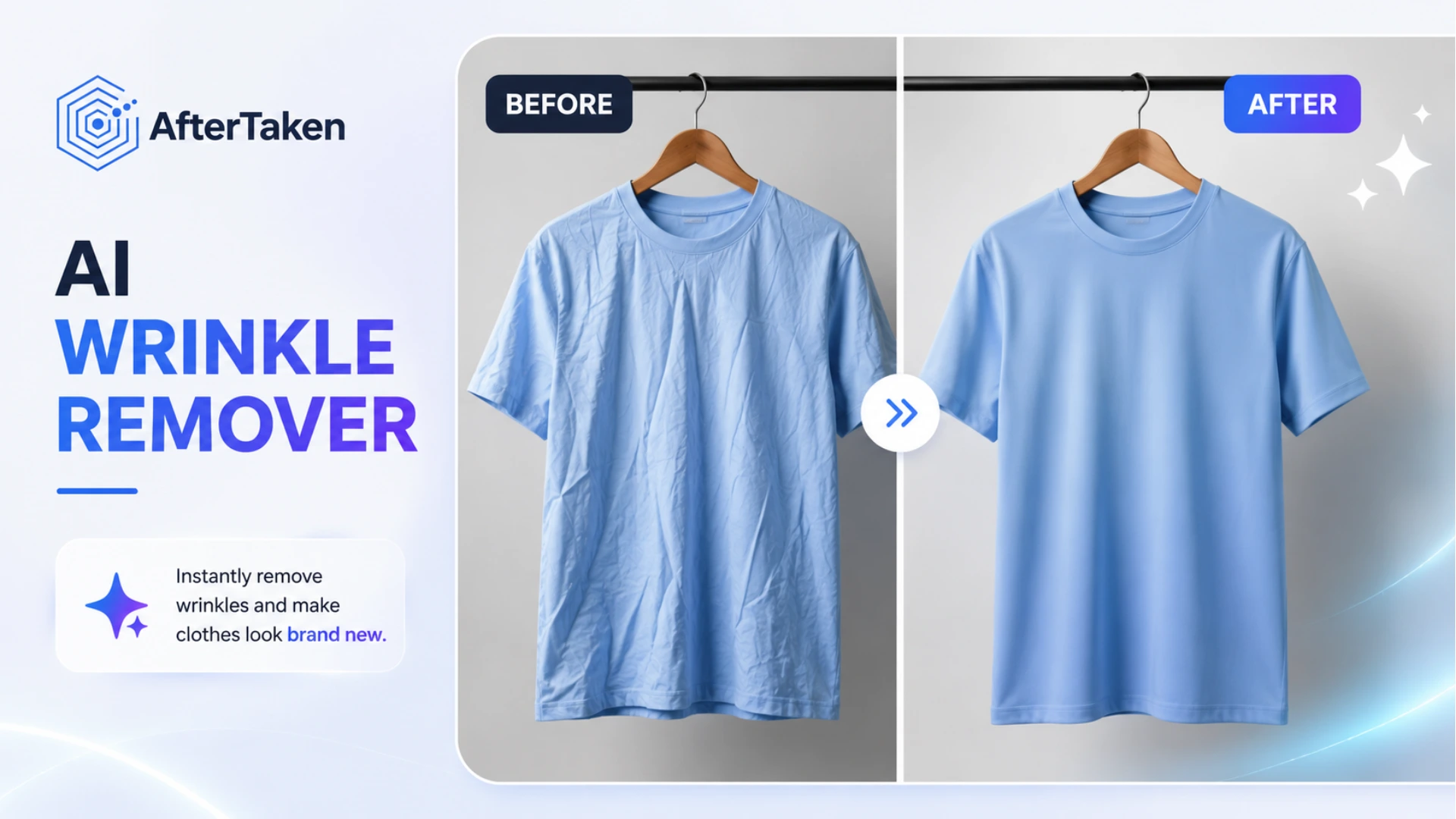
Fortunately, artificial intelligence has changed the game. With the launch of specialized tools like **AfterTaken’s AI Clothes Wrinkle Remover**, you can now instantly iron your clothes digitally in a matter of seconds, without needing any editing skills.
What is an AI Clothes Wrinkle Remover?
An AI Clothes Wrinkle Remover is a smart, automated tool designed to detect fabric in photos and smooth out creases. Instead of painting over wrinkles manually, the AI analyzes the entire garment, distinguishing between natural shadows (which give clothes their shape) and distracting wrinkles (which ruin the look).
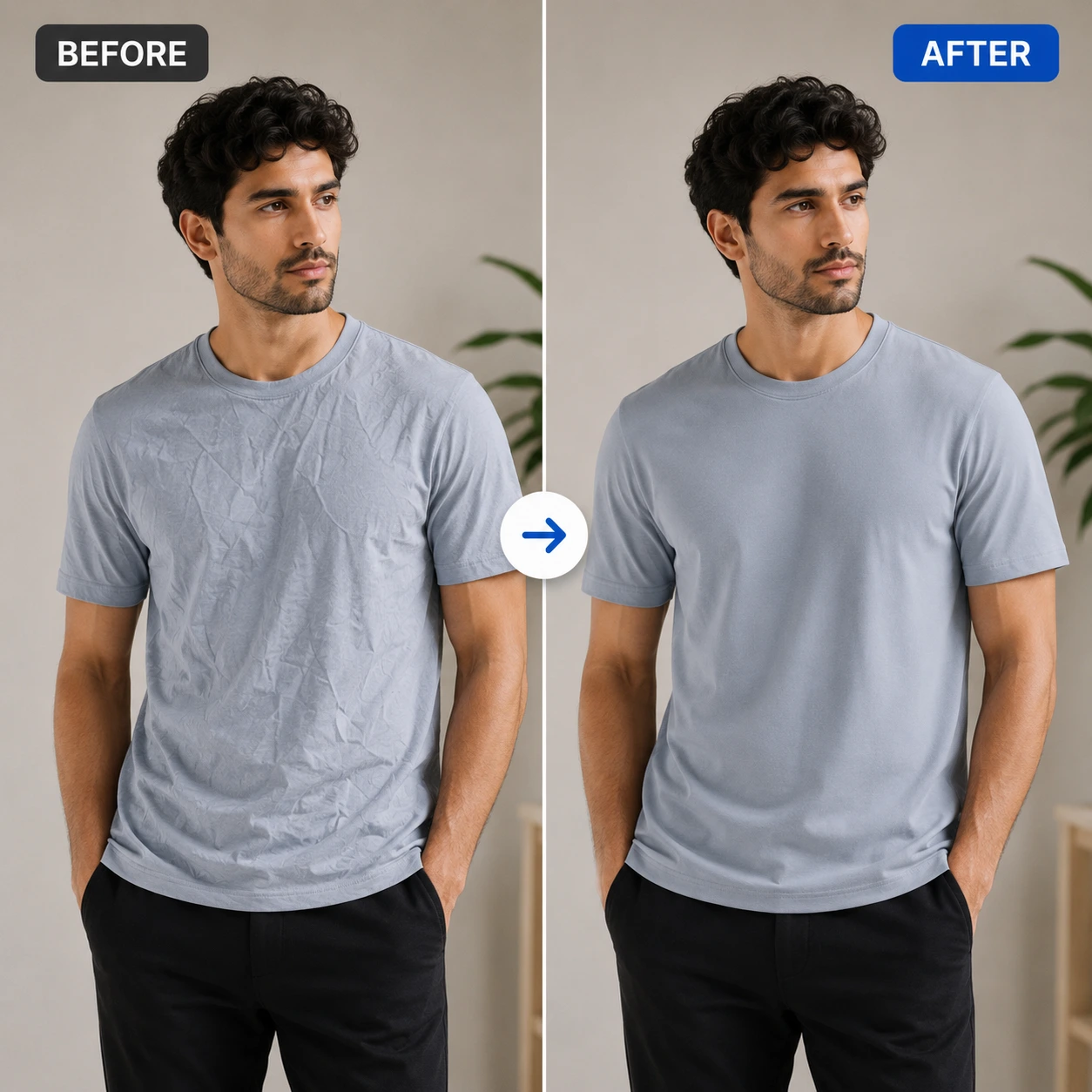
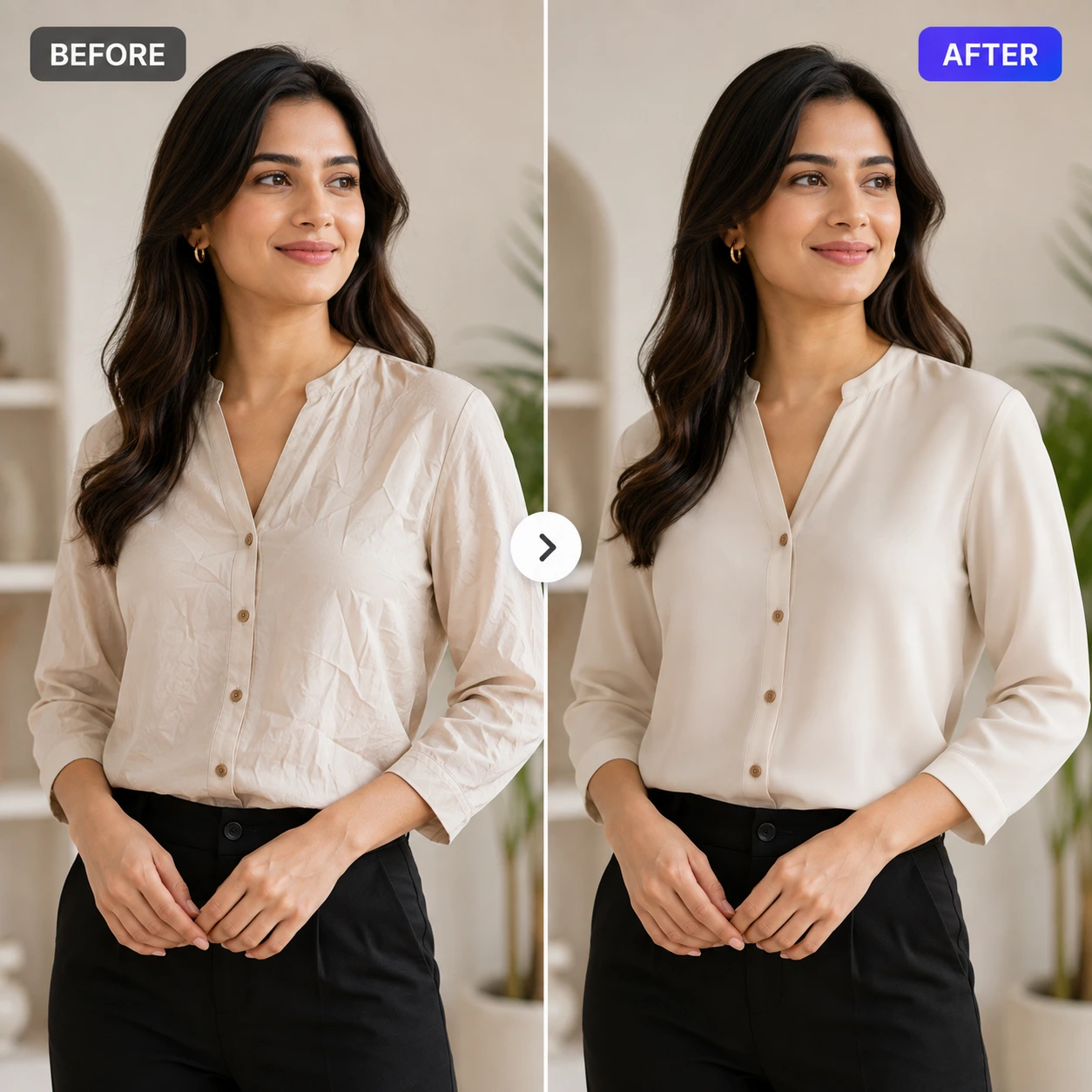
By using advanced deep learning algorithms, the tool flattens out creases while preserving the original texture, color, and fit of the clothing. The result is a clean, crisp, and freshly ironed appearance that looks 100% natural.
Why Clean Clothes Matter in E-Commerce and Content Creation
In a visual-first digital world, first impressions are everything. Wrinkled clothes send a subtle, negative message to your audience or customers:
- For E-Commerce Store Owners: If your product photos show wrinkled t-shirts, dresses, or shirts, customers might perceive your brand as cheap or low-quality. Smooth, clean clothing lines increase the perceived value of your products and build customer trust.
- For Content Creators and Influencers: Wrinkles draw attention away from your face and styling. Polished, wrinkle-free outfits make your social media feed look professional and high-end.
- For Job Seekers and Professionals: A clean headshot or profile photo is vital for LinkedIn. Crease-free clothes make you look sharp, detail-oriented, and put-together.
Meet AfterTaken’s AI Clothes Wrinkle Remover Tool
If you are looking for a fast and reliable way to fix your clothing photos, the AfterTaken AI Clothes Wrinkle Remover Tool is the perfect solution. It is built specifically to address this issue with high precision, making it an essential resource for creators, models, and e-commerce sellers alike.
The tool is highly intuitive. You don’t need to select the wrinkled areas manually or play around with complicated settings. The AI automatically scans your photo, detects the clothing, and smooths out the wrinkles in a single click, keeping your original fabric texture intact.
Key Features of the Tool:
- Texture Preservation: Unlike generic smoothing filters that make clothes look like plastic, AfterTaken preserves the natural weave, stitching, and feel of your clothing.
- Intelligent Lighting and Shadows: The AI understands depth. It leaves natural folds and shadows untouched while removing the sharp, chaotic lines caused by wrinkles.
- Works on All Fabric Types: Whether it’s a casual cotton t-shirt, a silk blouse, linen shirts, or formal suits, the AI adapts to different textures seamlessly.
How to Use AfterTaken’s Wrinkle Remover in 3 Simple Steps
Ready to iron your photos? Here is how simple the process is:
- Sign Up for a Free Account: Create a quick account on AfterTaken. Every new user receives 5 free credits to test out the tools.
- Upload Your Photo: Choose the wrinkled photo you want to fix and upload it to the platform.
- Generate and Download: Click the process button. The AI will analyze the image, smooth out the clothing wrinkles in seconds, and deliver a high-quality download.
Frequently Asked Questions (FAQs)
It is an online, AI-powered tool designed to automatically detect and remove wrinkles and creases from clothing in photos, making them look neatly ironed.
No. The tool is engineered to preserve the original fabric texture, weave, color, and natural shadows while targeting only the sharp, distracting lines caused by wrinkles.
Yes, a quick signup is required to access the tool. Upon registration, you receive 5 free credits to test the wrinkle remover on your photos for free.
Absolutely. Many online sellers and dropshippers use AfterTaken to quickly clean up wrinkled mockups and product photos to make their storefronts look premium.
The processing is extremely fast, typically taking just a few seconds to analyze, remove the wrinkles, and prepare your download link.
Final Thoughts
Wrinkled clothing should never be the reason a great photo goes to waste. Whether you are prepping product images for an online catalog, polishing a LinkedIn portrait, or upgrading your Instagram feed, the AfterTaken AI Clothes Wrinkle Remover offers an instant, professional finish without the designer price tag.
Don’t let creases ruin your photos. Head over to the AfterTaken AI Clothes Wrinkle Remover Tool, sign up for your 5 free credits, and see the difference for yourself!