

In today’s digital world, handling hundreds or even thousands of images is common—whether you’re a photographer, developer, designer, or content creator. Editing each image one by one is not just time-consuming, but also inefficient. This is where a Batch Image Processor becomes a game-changer.
What is a Batch Image Processor?
A batch image processor is a tool or software for Image editing that allows you to apply the same edits or transformations to multiple images at once. Instead of manually editing each file, you define a set of actions, and the tool automatically processes all selected images in one go.
For example, you can remove background, upscale, resize, compress, rename, or convert hundreds of images within seconds—saving hours of manual effort.
Why Use a Batch Image Processor?
1. Massive Time Savings
Imagine having to wash 100 clothes one by one by hand versus putting them all into a large washing machine at once. Batch processing is that washing machine. Instead of spending hours opening, editing, and saving each photo individually, you can finish an entire day’s work in just a few minutes. It turns a long, boring task into a quick “one-click” action.
2. Consistent Output
When you edit photos one by one, it’s easy to make mistakes—one photo might be a bit darker or have a slightly different background than the next. Batch processing ensures every single photo is treated exactly the same way. This means all your product images will have the same high-quality sharpness and clean backgrounds, making your store look professional and trustworthy.
3. Increased Efficiency
You don’t need to be a design expert or know how to use complicated software to get great results. The AI handles the difficult parts, like finding the edges of a product or fixing blurriness, automatically. This allows you to focus your energy on more important things, like marketing your products and talking to customers, instead of getting stuck in “editing mode.”
4. Scalability
Scalability simply means the ability to grow without extra stress. If your business grows from selling 10 products to 1,000 products, your workload doesn’t have to increase at the same rate. With batch processing, handling 100 photos takes almost the same effort as handling 10. This allows you to expand your inventory and launch new collections as fast as you want.
How can AfterTaken Batch Image Processor help you?
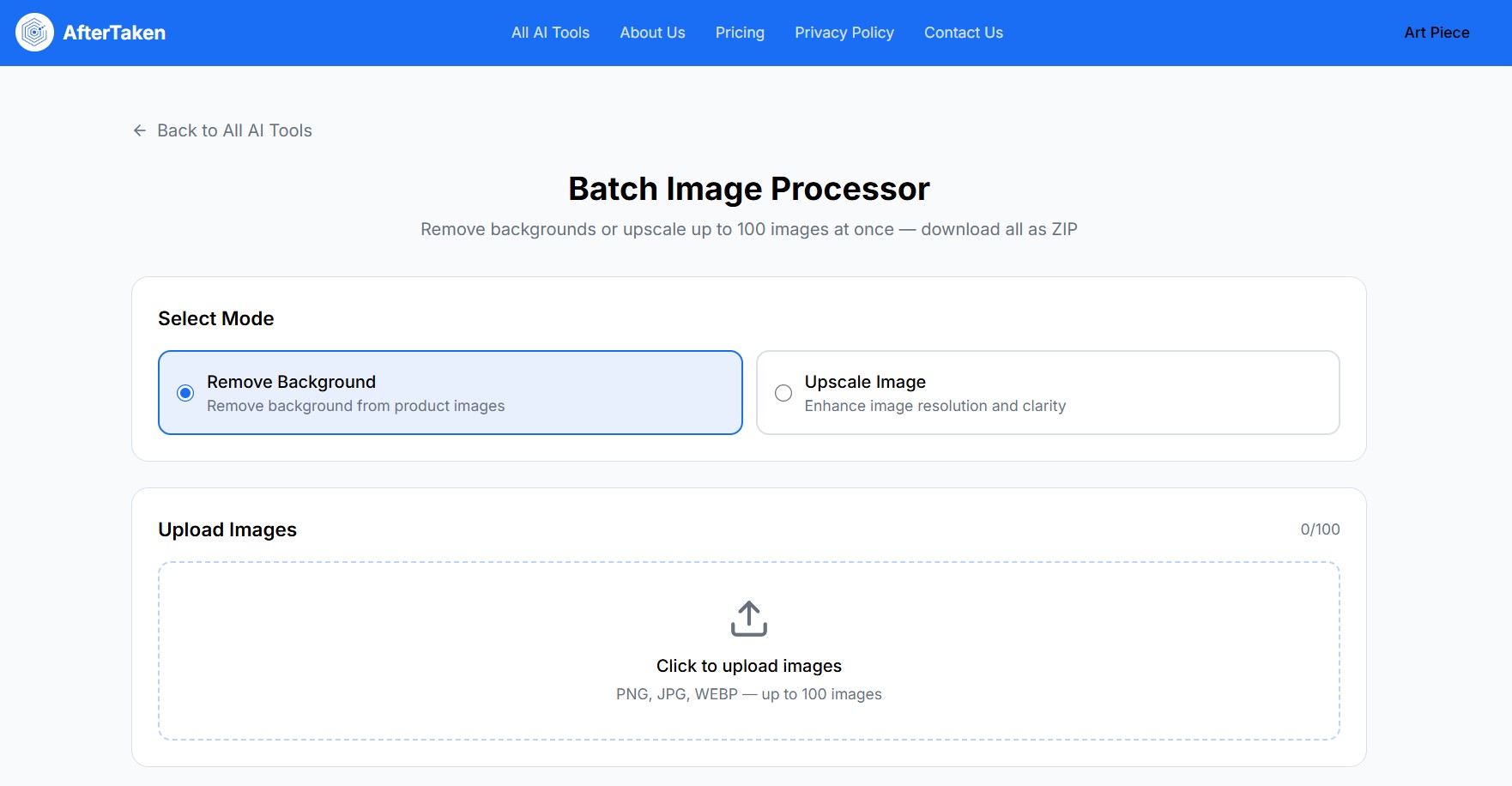
- Process Up to 100 Images Simultaneously: Scaling your business requires speed. AfterTaken allows you to handle up to 100 images in a single batch, eliminating the need for tedious, one-by-one uploads. It’s the ultimate productivity hack for high-volume e-commerce sellers.
- Pro-Grade AI Background Removal: Whether you need a “Studio-White” background for Amazon or a transparent layer for custom branding, our AI precisely detects edges and removes backgrounds in seconds—even for complex product shapes.
- Instant 4K AI Upscaling: Don’t let low-resolution supplier photos ruin your brand image. Our batch upscaler automatically enhances every photo, turning blurry images into sharp, high-definition 4K visuals that look premium on any screen.
- Unified Catalog Consistency: By processing 100 images at once, you ensure a uniform look across your entire store. Consistent lighting, backgrounds, and quality build professional trust and help convert browsers into buyers.
- SEO-Optimized WebP Output: Site speed is a critical ranking factor. All processed images are automatically exported in high-quality WebP format, ensuring your website remains lightning-fast without compromising on visual clarity.