
If you are selling on Amazon, you already know the competition is too much. Thousands of sellers, similar products, similar prices — and in that environment, your product photos are often the only thing that makes a buyer click on your listing instead of your competitor’s.
Amazon product photography has its own strict rules, its own best practices, and its own technical requirements. Getting it wrong means fewer clicks, lower conversion rates, and listings that simply do not sell.
In this guide, we cover everything you need to know about Amazon product photography — from Amazon’s official image requirements to how AI for product photography is helping thousands of sellers get studio-quality images without paying for expensive product photography services.
Why Amazon Product Photography is Different
Amazon is not Instagram. The platform has specific image guidelines that every seller must follow — and violating them can get your listing suppressed entirely.
Here is what makes Amazon product photography unique:
- Amazon requires the main image to have a pure white background (RGB 255, 255, 255) — no props, no text, no watermarks
- The product must fill at least 85% of the image frame
- Minimum image size is 1000 x 1000 pixels — larger is better for zoom functionality
- JPEG, PNG, GIF, or TIFF formats are accepted
- You can have up to 9 images per listing — and you should use all of them
PRO TIP
Your main image must follow Amazon’s white background rule strictly. But your secondary images — lifestyle shots, infographics, detail shots — are where you can get creative and show your product in action. This is where AI product photography tools shine.
Amazon Product Photography Requirements — The Complete Checklist
Before you shoot or generate any product images, make sure every image meets these Amazon standards:
Main Image Requirements
- Pure white background only — no shadows (or very minimal shadows) , no gradients
- Product must be in focus and professional
- No mannequins, no human models for most categories
- No logos, watermarks, or added text
- Product must occupy 85% or more of the image space
Secondary Image Requirements
- Lifestyle images showing the product in use are highly recommended
- Infographic images with feature callouts help buyers understand the product
- 360-degree or multi-angle shots increase buyer confidence
- Size comparison images help buyers understand dimensions
- Close-up detail shots highlight quality and craftsmanship
Traditional Product Photography Services vs AI — What Makes Sense for Amazon Sellers?
Most Amazon sellers face a familiar dilemma early on — do you invest in professional product photography services, or find a more affordable alternative?
Here is an honest comparison:
Professional Product Photography Services
- Cost: ₹5,000 to ₹50,000+ per product shoot depending on complexity
- Turnaround: 3 to 7 days including editing and retouching
- Quality: High — especially for complex or reflective products
- Flexibility: Limited — reshoots are expensive and time-consuming
- Scalability: Difficult for sellers with large or frequently changing catalogs
AI Product Photography Tools
- Cost: Free to a few hundred rupees per month — or pay-as-you-go
- Turnaround: Minutes, not days
- Quality: Studio-grade for most product categories
- Flexibility: Unlimited variations — generate as many versions as you need
- Scalability: Handle hundreds of products in hours
For most Amazon sellers — especially those just starting out or managing large SKU counts — AI product photography delivers excellent results at a fraction of the cost of traditional product photography services.
How AI for Product Photography Works for Amazon Listings
- Upload: Take or obtain a basic photo of your product — even a smartphone photo works as a starting point
- Background Removal: The AI automatically detects your product and removes the background in seconds
- White Background Generation: For your main Amazon image, the AI places your product on a clean white background that meets Amazon’s requirements exactly
- Lifestyle Scene Creation: For secondary images, choose from lifestyle scenes, colored backgrounds, or type a custom prompt describing the environment you want
- Download: Download your images at full resolution, ready to upload directly to your Amazon listing
Best AI Tools for Amazon Product Photography
There are several AI tools available for product photography. Here is an honest overview of the most relevant options:
1. AfterTaken AI — Best for Amazon Sellers
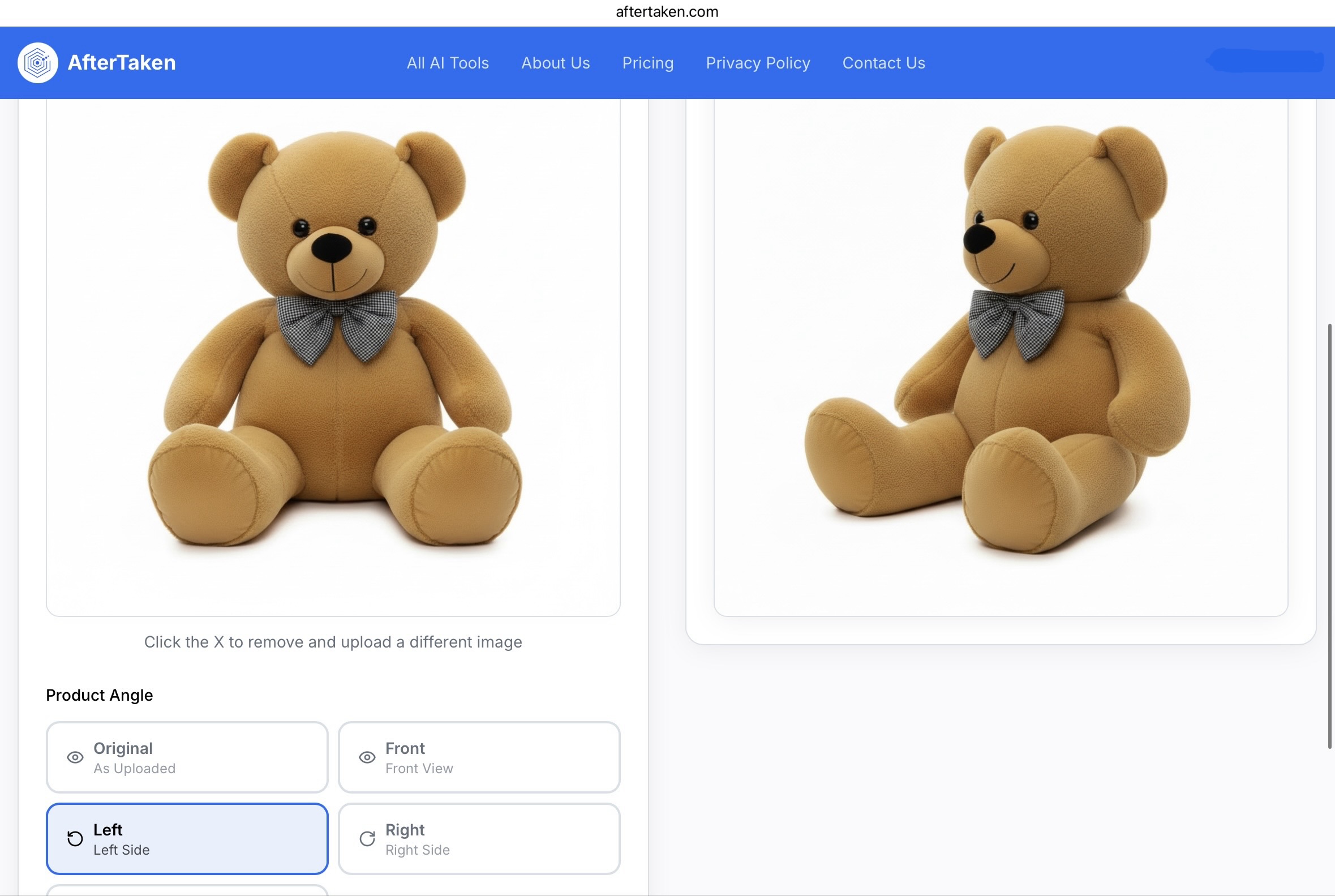
AfterTaken AI is purpose-built for e-commerce product photography and is one of the most effective AI tools for Amazon sellers. It handles the entire workflow — background removal, white background generation for main images, and lifestyle scene creation for secondary images — all in one place.
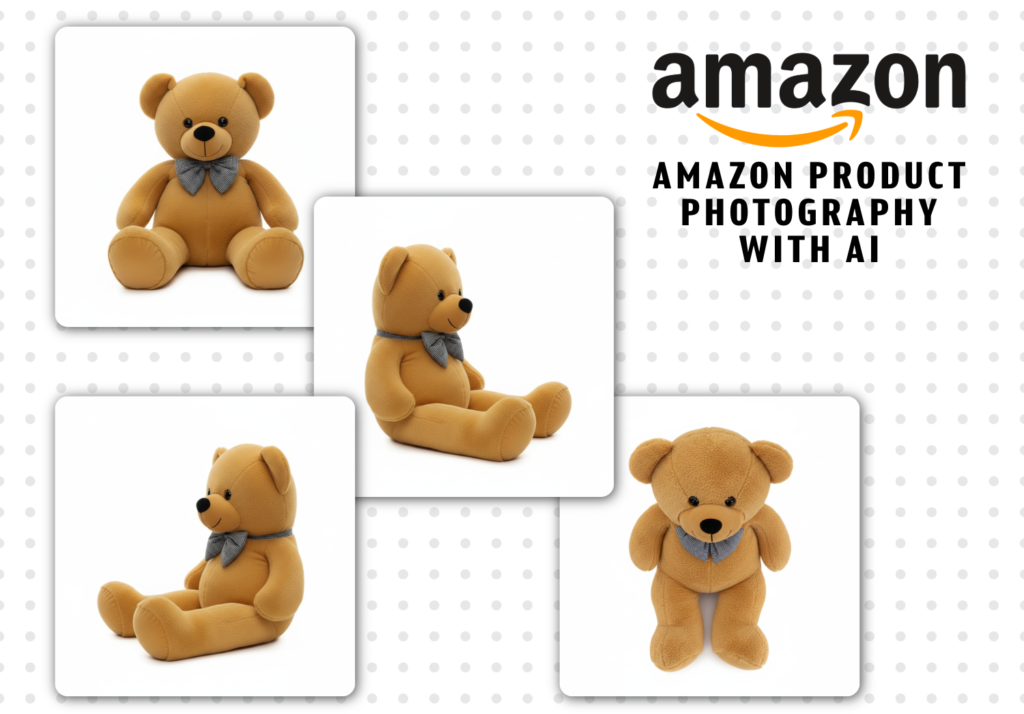
- Automatically generates Amazon-compliant white background images with 4 different product shot angles such as; Front View, Side Views (Left & Right), and Top View to choose
- 50+ lifestyle scene templates for secondary images
- Uses Google Gemini for high-quality, realistic image generation
- Pay-as-you-go pricing — no monthly commitment
- Free credits available — product photography ai free to get started
TRY IT FREE
Visit AfterTaken.com — upload your first product photo and get an Amazon-ready image in under 60 seconds. No design skills needed.
2. Photoroom — Good for Quick Background Removal
Photoroom is a popular AI photo editor free option that works well for basic background removal and AI product photography. It is fast and easy to use.
3. ChatGPT Photo Editor — Limited for Product Photography
Many sellers search for ChatGPT photo editor or ChatGPT AI photo editor expecting it to handle product photography. While ChatGPT can describe and discuss images, it is not designed as a dedicated product photo editor and cannot generate Amazon-compliant product images reliably.
- Good for: Generating image prompts and descriptions
- Limitation: Not a dedicated product photography tool — use purpose-built tools instead
Best Amazon AI Product Photography Options
If you are looking for the best AI photo editor free options to get started, AfterTaken AI offers free credits that let you generate professional product images at zero cost. Other free ai photo editor tools like Canva’s background remover can handle basic edits, but for Amazon-specific product photography, a dedicated tool like AfterTaken AI gives consistently better results.
- Bottom line: For Amazon product photography specifically, free ai photo editor online tools are a good starting point — but AfterTaken AI’s free credits give you the most relevant, e-commerce-ready results
Step-by-Step: Creating Amazon-Ready Product Images with AI
Here is exactly how to create a complete set of Amazon product images using AfterTaken AI:
Step 1 — Main Image: White Background
Your main Amazon image must have a pure white background. AfterTaken AI handles this automatically:
- Upload your product photo to AfterTaken.com
- Select the white background option
- Download — your image is Amazon-compliant and ready to upload
Step 2 — Secondary Images: Lifestyle Shots
Use AfterTaken AI’s scene templates to create lifestyle secondary images:
- Choose from 50+ scenes — kitchen, outdoor, luxury, minimal, and more
- Or type a custom prompt: ‘product on a marble surface with soft studio lighting
- Generate multiple variations and choose the best ones
Amazon Product Photography Tips to Maximize Sales
Beyond the technical requirements, here are the strategies that actually move the needle on Amazon:
- Use all 9 available image slots — listings with more images consistently outperform those with fewer
- Lead with your strongest lifestyle image as image 2 or 3 — it appears in search results on mobile
- Show scale — include a size reference image so buyers know exactly what they are getting
- Highlight your unique selling point visually — if your product is waterproof, show it near water
- Test different main images — even a small improvement in click-through rate compounds significantly
- Keep image backgrounds consistent across your brand for a professional, cohesive storefront appearance
Final Thoughts
Amazon product photography is not optional — it is the single most important factor in whether your listing gets clicked and whether a visitor converts into a buyer.
The good news is that in 2026, you no longer need to pay for expensive product photography services to get professional results. AI for product photography has matured to the point where tools like AfterTaken AI can produce Amazon-compliant, studio-quality images in minutes — including the mandatory white background main image and compelling lifestyle secondary images.
Whether you are just launching your first Amazon product or looking to upgrade images across an existing catalog, product photography ai free options like AfterTaken AI make it possible to compete with the biggest sellers on the platform — regardless of your budget.
Ready to upgrade your Amazon product images? Try AfterTaken AI free at AfterTaken.com and create your first Amazon-ready product image in under 60 seconds.


Pingback: AfterTaken AI Review: The Best AI Product Photography
Pingback: 10 Best AI Tools for eCommerce Sellers in 2026 | AfterTaken Blog
Pingback: 10 Best AI Tools for Amazon Sellers in 2026
Pingback: Top 5 AI Video Generator: The Future of Video Creation - AfterTaken Blog